Posts Tagged ‘libertyreserve’
How to buy Smart Load, Globe Load, and Sun Load?
 September 8th, 2011 |
  Author:
 Buying Smart load, Globe load, Sun, Talk & Text, or Touch Mobile eload has not been this easy. Now anyone online can conveniently purchase various prepaid services such as phone cards, prepaid cards, mobile eloads, call cards, gaming cards, internet cards, load cards, and cable TV subscriptions through CryptoCurrency, Paypal, and credit card. With just few mouse clicks, you will receive your load credits almost instantly.
Please follow these simple steps to purchase an eload:
- if buying load through Bitcoin (BTC), Bitcoin Cash (BCH), Litecoin (LTC), Ethereum (ETH), Dash (DASH) or coins.ph, please go here.
- if buying load through Paypal and credit card, please go here.
- if buying load through LibertyReserve, please go here
Note: List of prepaid products can be downloaded here.
Was this post helpful? Rate it!
 (12 votes, average: 4.17 out of 5)
 Loading...
 Posted in Uncategorized |
  Tags: BCH, Bitcoin, Bitcoin Cash, BTC, coins.ph, Dash, eload, ETH, Ethereum, libertyreserve, LTC, paypal |
  No Comments »
How to buy load through LibertyReserve
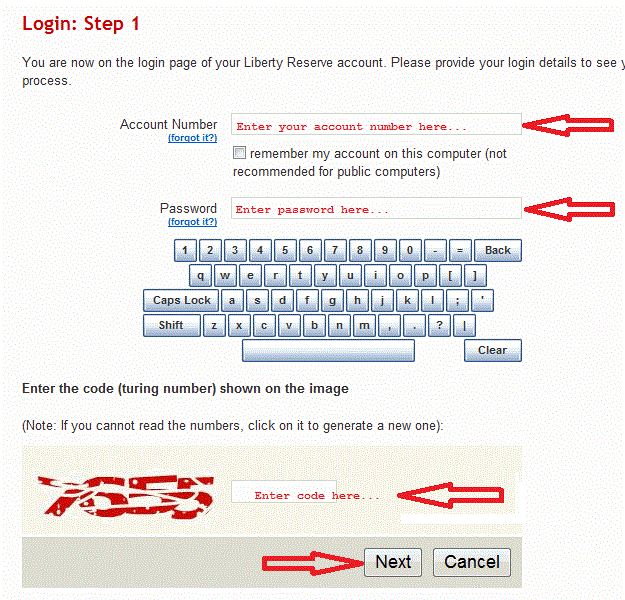
Please follow these simple steps when buying eload through LibertyReserve. Note: Kindly contact us first at 09178388953 or contact@loadcentralph.net whether LibertyReserve is accepted as payment before sending funds to avoid any inconvenience.
- Go to
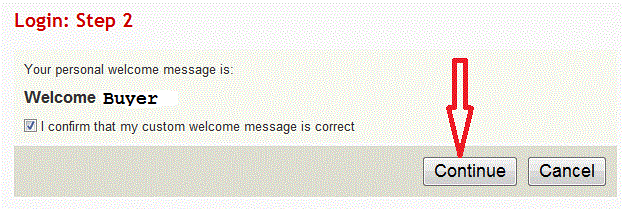
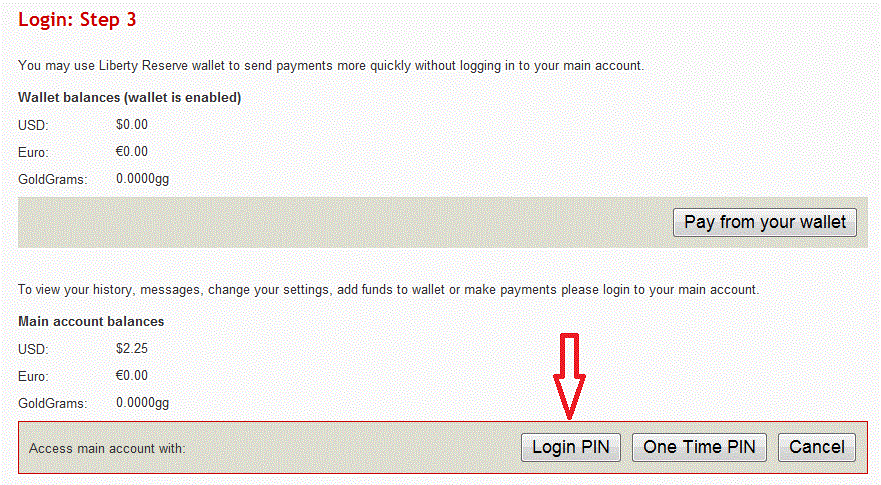
http://www.libertyreserve.com(Shutdown on May 2013) - Log in using correct details
- Send payment to LibertyReserve account “U1448671”
- Enter correct buyer’s information (Note: $1 = 36Php / Get list of prepaid products here)
- Verify information before sending payment
- Confirm payment

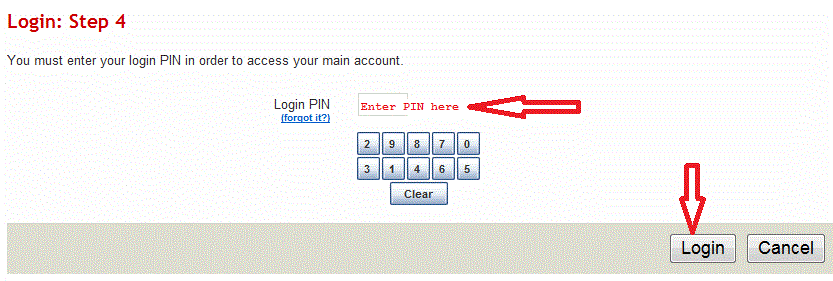
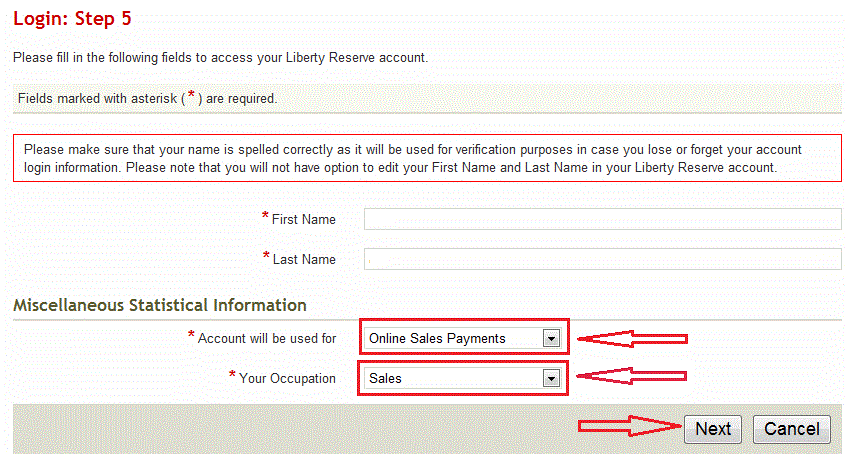
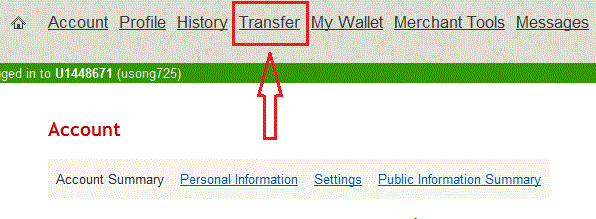
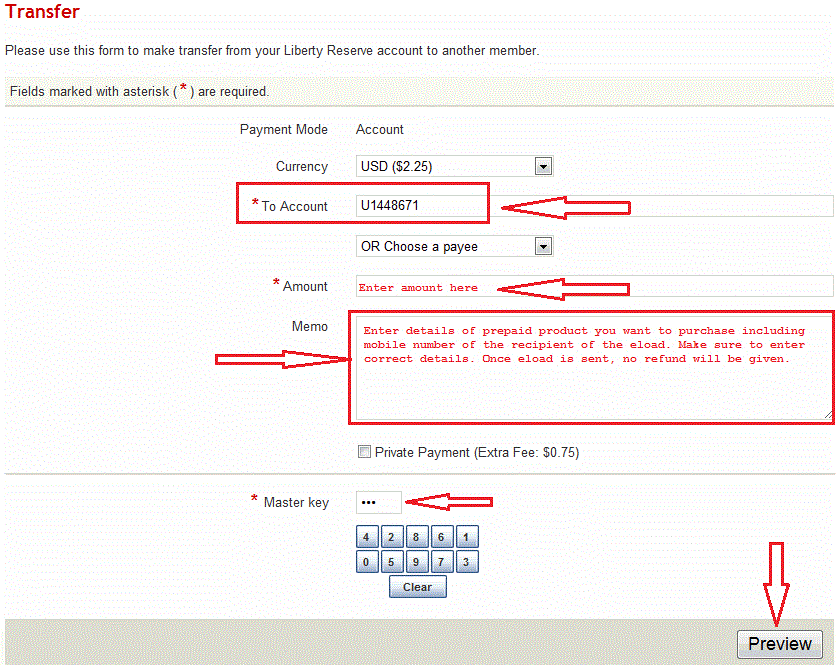

Was this post helpful? Rate it! (Be the first to rate)Loading...
How To Replenish LoadWallet From Dealer SMSRUs
Direct deposit OR online transfer to the following banks:
- Banco de Oro
- Unionbank / EON
- Security Bank
- BPI
GCash / PayMaya / coins.ph transfer: +1% processing fee
Online Payment Processor: $1 = Php45.00
- Paypal – For security purposes, we will only accept Paypal payments for SubDealership/Retailer registration fee
Things to note:
- Php1.00 = 1 LoadCentral loadwallet credit
- If paying for registration fee through Paypal, send fund as “Personal Payment – Others”. Do not forget to enter the SubDealer/Retailer sim number and complete name in the Remarks field to facilitate the verification process
- There’s a 10% fee if Paypal fund sent is in PHP currency
- There’s a 1% processing fee on Gcash, PayMaya, coins.ph or bitcoin payments
Payment Verification:
Send the details of your payments thru our payment verification page.
Was this post helpful? Rate it! (23 votes, average: 3.87 out of 5)Loading...
Posted in Uncategorized | Tags: bdo, eload, eon, libertyreserve, load wallet, paypal, security bank, unionbank | 2 Comments »